> For the complete documentation index, see [llms.txt](https://knowledge-base.myappz.ai/home/llms.txt). Markdown versions of documentation pages are available by appending `.md` to page URLs; this page is available as [Markdown](https://knowledge-base.myappz.ai/home/lead-automation/whatsapp/whatsapp-send-single-message.md).

# WhatsApp - Send single message

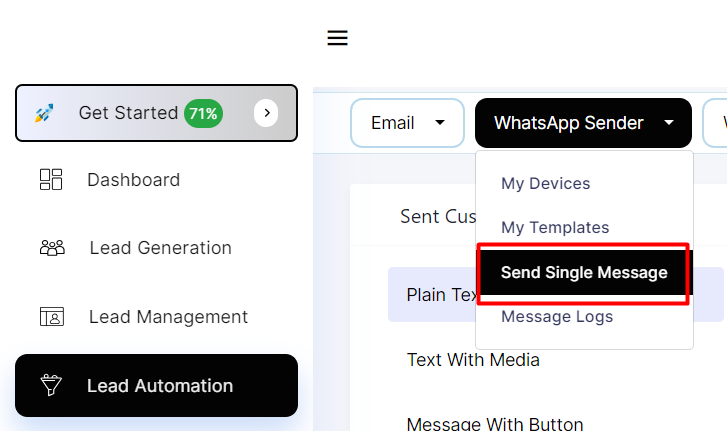
**Step 1: Click on Send single message**

<div align="left"><img src="https://2134630697-files.gitbook.io/~/files/v0/b/gitbook-x-prod.appspot.com/o/spaces%2FHH6BEHjheK80eLLkCLVd%2Fuploads%2Fv5q9cDcmnYRPib8kNwsI%2Fimage.png?alt=media&amp;token=65bfc5c9-2151-4a16-9824-c37340acc24b" alt=""></div>

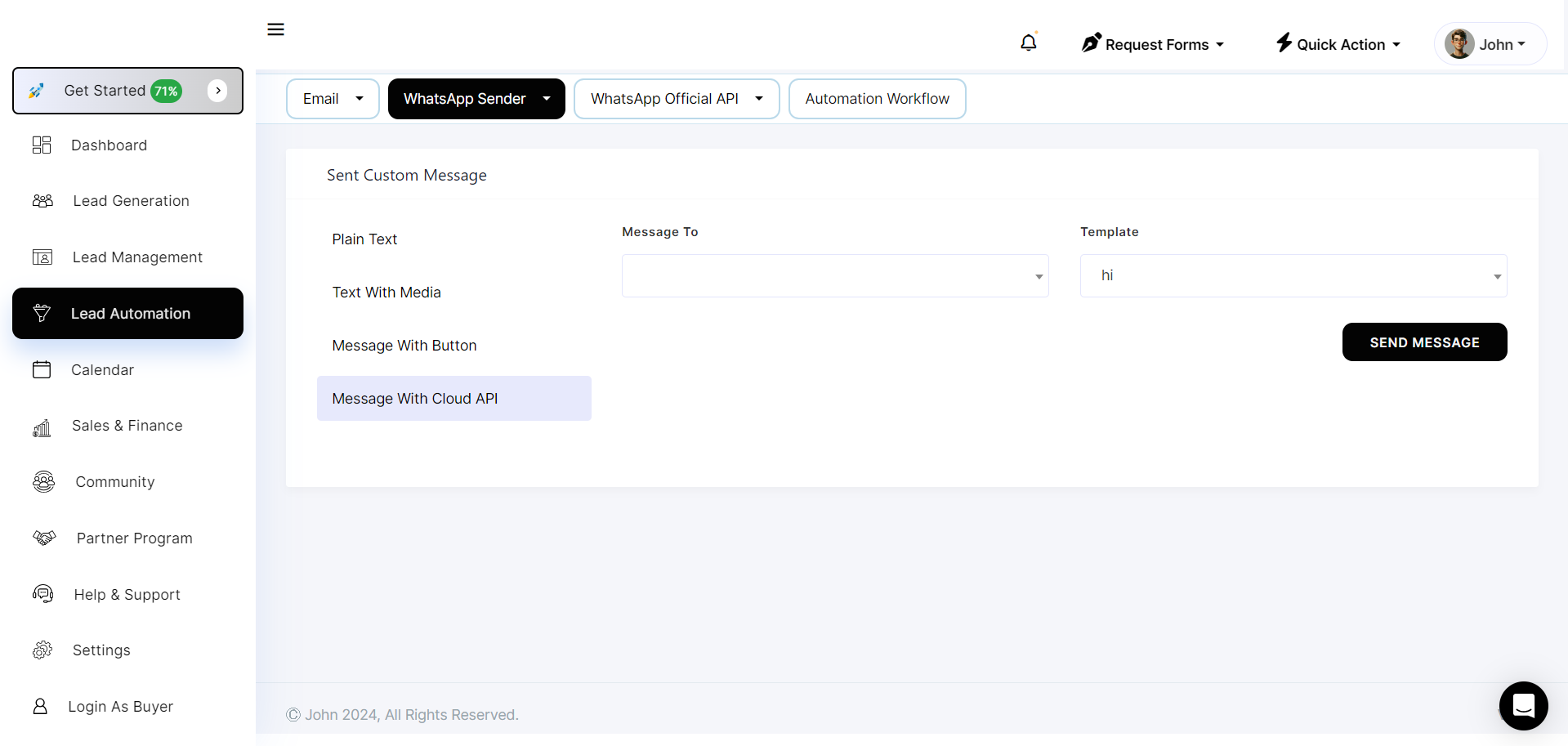
**Step 2: From here you can sent custom message both plain text and text with media templates**

![](https://2134630697-files.gitbook.io/~/files/v0/b/gitbook-x-prod.appspot.com/o/spaces%2FHH6BEHjheK80eLLkCLVd%2Fuploads%2FIrboukxbMNvHQgXWA0bc%2Fimage.png?alt=media\&token=23718fff-a0a4-471e-b1bf-a9aa1553a5ab)

![](https://2134630697-files.gitbook.io/~/files/v0/b/gitbook-x-prod.appspot.com/o/spaces%2FHH6BEHjheK80eLLkCLVd%2Fuploads%2FRs7L8g5SD49qwYGjlSci%2Fimage.png?alt=media\&token=7ac94a9d-cd78-4cec-a570-e27e26422811)

<figure><img src="https://2134630697-files.gitbook.io/~/files/v0/b/gitbook-x-prod.appspot.com/o/spaces%2FHH6BEHjheK80eLLkCLVd%2Fuploads%2FfcnxyHIhCWsVUN12QXfx%2Fimage.png?alt=media&amp;token=e18c8487-a0da-43d5-8e78-1a570314c31a" alt=""><figcaption></figcaption></figure>

<figure><img src="https://2134630697-files.gitbook.io/~/files/v0/b/gitbook-x-prod.appspot.com/o/spaces%2FHH6BEHjheK80eLLkCLVd%2Fuploads%2FJMrrsnIEq3do6evVJJ3r%2Fimage.png?alt=media&amp;token=5bd7cc38-204e-46e4-90e3-f27b7b5c5328" alt=""><figcaption></figcaption></figure>

**Step 3: Once you clicking send message button it will show you the confirmation message.**

1. **Sent Custom Message - Plain Text:**
   * Use the WhatsApp API to send a plain text message to your users.
   * The API will typically require authentication and the recipient's phone number.
   * You can craft a personalized text message and include any dynamic content based on user data.
2. **Sent Custom Message - Text with Media:**
   * To send a message with media (such as images, videos, or documents), use the appropriate API endpoint.
   * Provide the URL or media file along with the text message.
   * Ensure that the media file complies with WhatsApp's guidelines for file types and sizes.