> For the complete documentation index, see [llms.txt](https://knowledge-base.myappz.ai/home/llms.txt). Markdown versions of documentation pages are available by appending `.md` to page URLs; this page is available as [Markdown](https://knowledge-base.myappz.ai/home/community/lms/bundle-courses.md).

# Bundle courses

**Step 1 : Click on** **Bundles courses**.

<div align="left" data-full-width="false"><figure><img src="https://2134630697-files.gitbook.io/~/files/v0/b/gitbook-x-prod.appspot.com/o/spaces%2FHH6BEHjheK80eLLkCLVd%2Fuploads%2F2M8tCfT7z6VzZbg6pM2B%2Fimage.png?alt=media&amp;token=6cf824a9-a3b0-4063-a1be-a5aee695aa00" alt="" width="375"><figcaption></figcaption></figure></div>

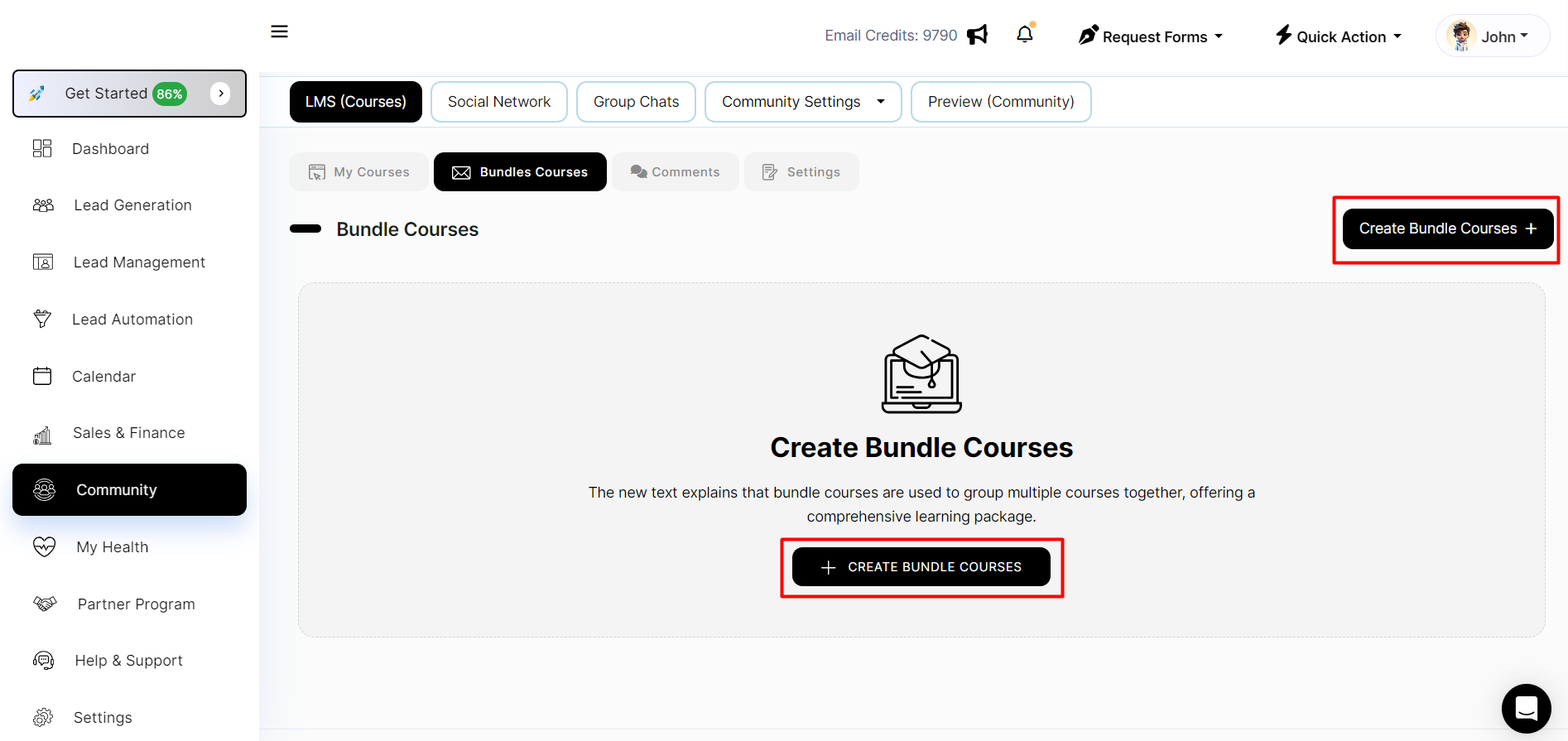
**Step 2 : Click on add bundle courses.**

<figure><img src="https://2134630697-files.gitbook.io/~/files/v0/b/gitbook-x-prod.appspot.com/o/spaces%2FHH6BEHjheK80eLLkCLVd%2Fuploads%2F7TlB5TFy1Joul3oOwcAV%2Fimage.png?alt=media&amp;token=8d68fefa-afea-47c1-810b-75c10584be33" alt=""><figcaption></figcaption></figure>

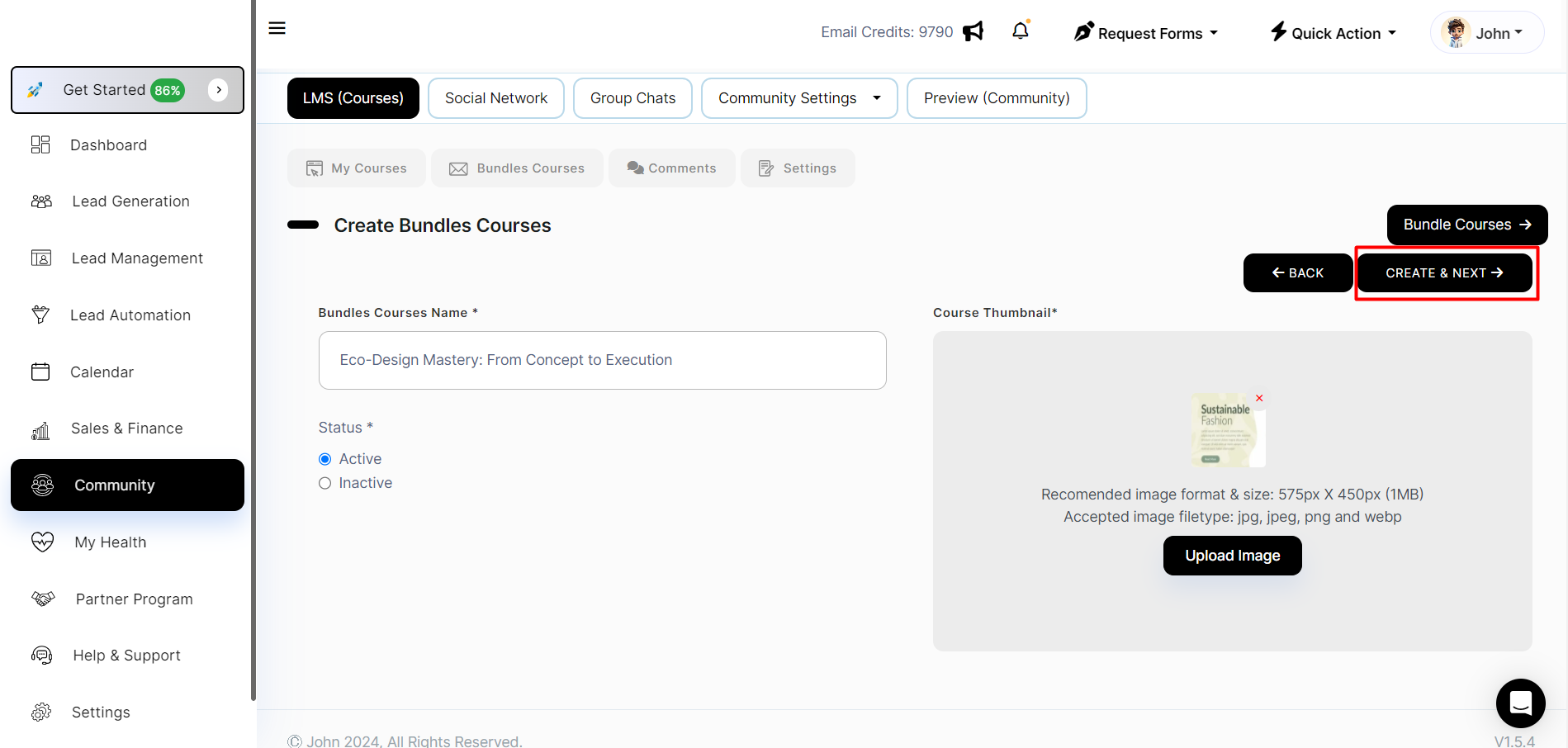
**Step 3 : Fill mandatory field and Click on create and next .**

<figure><img src="https://2134630697-files.gitbook.io/~/files/v0/b/gitbook-x-prod.appspot.com/o/spaces%2FHH6BEHjheK80eLLkCLVd%2Fuploads%2F4gzIaOu1DvZrTU9Vh4RS%2Fimage.png?alt=media&amp;token=13d9d461-2740-4561-a90a-dc5929101739" alt=""><figcaption></figcaption></figure>

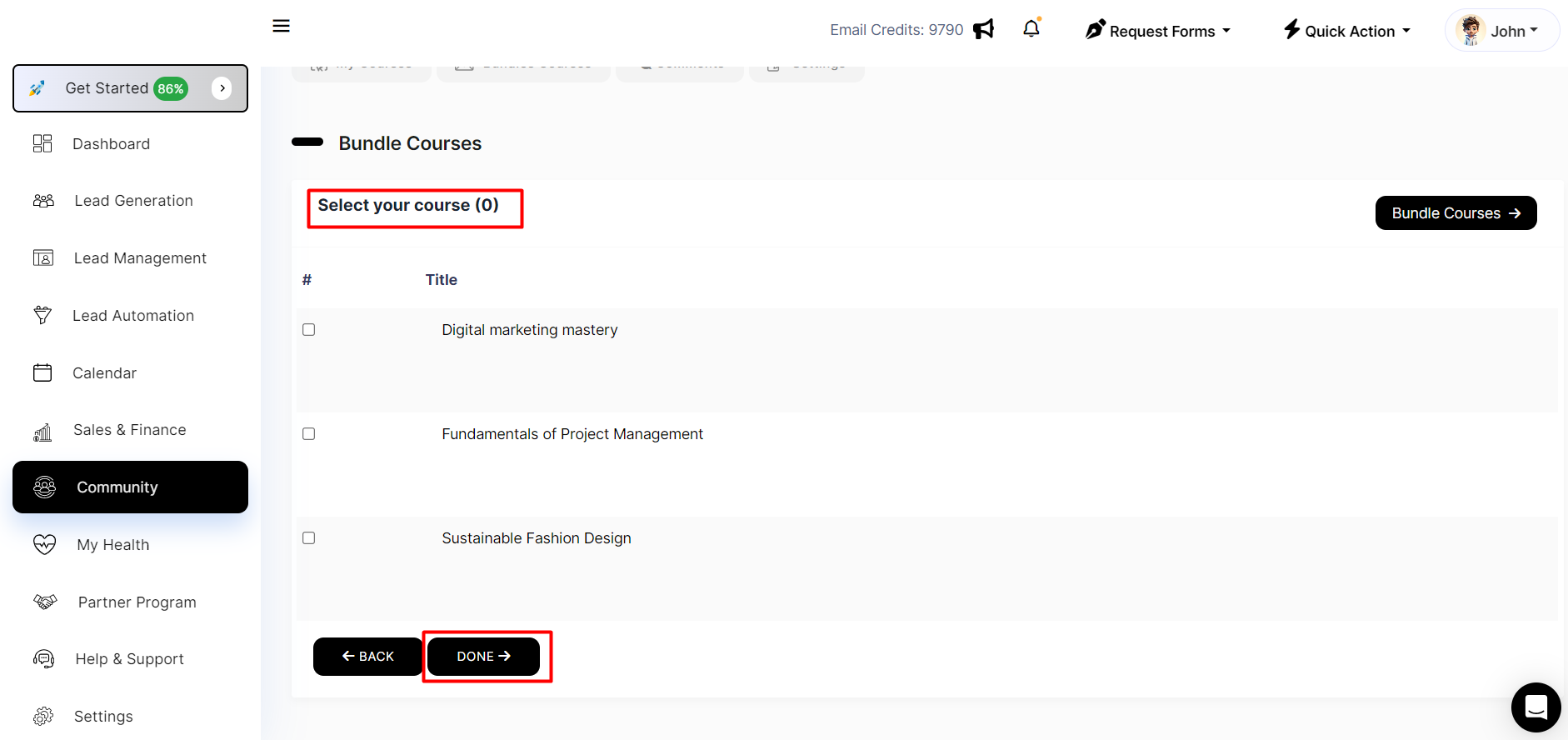
**Step 4 : Select your courses and click on done.** &#x20;

<figure><img src="https://2134630697-files.gitbook.io/~/files/v0/b/gitbook-x-prod.appspot.com/o/spaces%2FHH6BEHjheK80eLLkCLVd%2Fuploads%2FoOi3ln1y56bOSw2oK8r4%2Fimage.png?alt=media&amp;token=cb56d9a8-2c77-4279-8342-a426b596fd10" alt=""><figcaption></figcaption></figure>

**You can see here bundle course.**
<figure><img src="https://2134630697-files.gitbook.io/~/files/v0/b/gitbook-x-prod.appspot.com/o/spaces%2FHH6BEHjheK80eLLkCLVd%2Fuploads%2FTJrVLz1scGsQGp2THGpj%2Fimage.png?alt=media&amp;token=40dc439f-e464-4d0f-bf8a-c2ffc6c9c54d" alt=""><figcaption></figcaption></figure>